
Looking for the best CPU coolers for desktops without wading through hundreds of models? This Division Gaming guide sorts seven proven coolers by desktop type, from slim office towers to 360mm gaming rigs. It helps you buy the right size the first time.
Best CPU coolers for desktops: quick picks by build type
The short answer: the Thermalright Peerless Assassin 120 SE suits most gaming towers and the Arctic Freezer 36 is the value pick. The Noctua NH-D15 G2 leads premium air, and the Arctic Liquid Freezer III 360 handles hot flagship chips. Slim and small desktops do best with the Noctua NH-L9i or NH-L12S.
Every desktop is a little different, so the right cooler depends on three things. Those are the processor’s power draw, the case’s cooler height limit and how much noise you will accept.
This guide approaches the best CPU coolers for desktops by build type rather than by raw ranking. A cooler that wins in a full tower can be useless in a slim prebuilt, and the reverse is just as true.
Here is how the main desktop categories line up with cooler types:
- Office and home desktops with 65W chips run fine on a slim or compact single-tower cooler.
- Mainstream gaming towers with Ryzen 5/7 or Core i5/i7 chips suit a 120mm single or dual-tower air cooler.
- High-end workstations with Ryzen 9 or Core i9/Ultra 9 chips benefit from a large dual tower or a 360mm AIO.
- Small form factor builds need low-profile coolers measured carefully against the case limit.
Match your desktop to one of these four groups first, then pick a cooler from the matching section below.
Desktop CPU cooler comparison table
The table below summarises the seven picks. Heights are manufacturer figures including the fan, and the “best for” column reflects the CPU class each cooler suits.
| Model | Type | Fans / radiator | Height | Best for | Noise note |
|---|---|---|---|---|---|
| Thermalright Peerless Assassin 120 SE | Dual-tower air | 2 x 120mm | 155mm | Gaming towers, up to Ryzen 7 / Core i7 | Moderate under load |
| Arctic Freezer 36 | Single-tower air | 2 x 120mm (push-pull) | 159mm | Budget gaming desktops | Quiet at idle |
| Noctua NH-D15 G2 | Dual-tower air | 2 x 140mm | 168mm | Premium air, Ryzen 9 / Core i9 | Very quiet |
| Arctic Liquid Freezer III 360 | AIO liquid | 360mm radiator | Radiator-mounted | Flagship and workstation chips | Low with fan curve |
| be quiet! Pure Rock 2 | Single-tower air | 1 x 120mm | 155mm | Quiet home and office PCs | Very quiet |
| Noctua NH-L12S | Low-profile top-down | 1 x 120mm | 70mm | Small form factor desktops | Quiet |
| Noctua NH-L9i / NH-L9a | Low-profile top-down | 1 x 92mm | 37mm | Slim office desktops, 65W chips | Audible when pushed |
Use the height column against your case spec sheet before anything else. Clearance is the most common reason a desktop cooler gets returned.
How we chose these desktop coolers
We compared manufacturer spec sheets, socket compatibility lists and published third-party reviews, then weighed owner feedback on noise and installation. You can read the full process on our how we review CPU coolers page.
Division Gaming does not run its own thermal lab, so we rely on consistent patterns across several independent reviews. A cooler only made this list if it supports current sockets: AM5, AM4, LGA 1851 and LGA 1700.
We also favoured coolers that are easy to find in the US. Prices change often, so we give ranges rather than exact figures.
That process keeps the picks practical for real desktop builders rather than benchmark chasers.
The 7 picks for desktop builds
Each pick below includes who it suits, its key specs and the trade-offs worth knowing. They are grouped from mainstream to specialist.
Thermalright Peerless Assassin 120 SE: best all-round desktop cooler
The Peerless Assassin 120 SE is a dual-tower cooler with two 120mm fans and six heatpipes. At 155mm tall it fits most mid-tower cases, which is why it shows up in so many gaming builds.
It typically sells for under $45, yet independent reviews regularly place it close to coolers costing twice as much. That value is the main reason it heads this list.
What we like and what to watch:
- Pro: strong cooling for Ryzen 7 and Core i7-class chips at a low price.
- Pro: mounting hardware for AM4, AM5, LGA 1700 and LGA 1851.
- Con: the wide dual-tower body can crowd tall RAM heatspreaders.
- Con: fans get noticeably louder at full speed.
For a typical gaming desktop, this is the safest default choice.
Arctic Freezer 36: best budget pick for gaming desktops
The Freezer 36 is a single-tower design that ships with two Arctic P12 120mm fans in push-pull. It stands 159mm tall and keeps its mounting simple on current sockets.
It usually costs well under $40. That puts it in reach of builders who want more than a stock cooler without paying premium prices.
Strengths and limits:
- Pro: very good value with two fans included.
- Pro: simple tool-light mounting on current sockets.
- Con: it supports only AM4, AM5, LGA 1700 and LGA 1851, so older Intel sockets are out.
- Con: 159mm rules out some compact mid-towers.
If your desktop runs a Ryzen 5 or Core i5, the Freezer 36 is a sensible upgrade over a boxed cooler.
Noctua NH-D15 G2: best premium air cooler for desktops
The NH-D15 G2 is Noctua’s second-generation flagship. It uses two 140mm NF-A14x25r G2 fans, stands 168mm tall and comes in standard, LBC and HBC versions tuned for different CPU contact shapes.
It costs far more than the budget picks, often well above $100. Buyers get very low noise, a six-year warranty and Noctua’s well-known mounting support.
Points to weigh:
- Pro: excellent cooling with very low noise for an air cooler.
- Pro: build quality and long warranty.
- Con: 168mm height needs a roomy case.
- Con: it is expensive compared with 360mm AIOs.
Choose it if you want liquid-class performance without a pump.
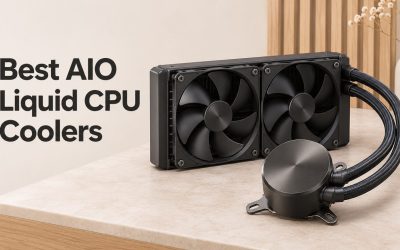
Arctic Liquid Freezer III 360: best for high-wattage desktop CPUs
The Liquid Freezer III 360 is an all-in-one liquid cooler with a thick 360mm radiator and three P12 fans. It includes an Intel contact frame for LGA 1700 and LGA 1851, and a small VRM fan on the pump block.
Reviews consistently rank it among the strongest-performing 360mm AIOs while costing less than many rivals. It suits Ryzen 9 and Core i9 or Core Ultra 9 desktops that hit high power draw.
Consider these trade-offs:
- Pro: top-tier performance for a reasonable price.
- Pro: thick radiator works well at low fan speeds.
- Con: the 38mm-thick radiator needs case room on top or front.
- Con: no screen or flashy display on the pump.
For workstations and enthusiast gaming desktops, it is one of the easiest AIO picks to justify.
be quiet! Pure Rock 2: best quiet cooler for home and office desktops
The Pure Rock 2 is a 155mm single tower with one 120mm Pure Wings 2 fan and a 150W TDP rating from be quiet!. It is designed for low noise rather than chasing maximum benchmark numbers.
It usually sits in the $40 range. That is a fair price for a cooler that stays unobtrusive in a quiet room.
Main points:
- Pro: very quiet fan profile for everyday desktops.
- Pro: clean, understated look.
- Con: not ideal for high-end CPUs under sustained load.
- Con: only one fan included.
It fits families, students and home offices that value calm over peak clock speeds.
Noctua NH-L12S: best for small form factor desktops
The NH-L12S is a 70mm-tall top-down cooler with one 120mm NF-A12x15 PWM fan. Its downward airflow also cools the motherboard area around the socket, which helps in cramped Mini-ITX cases.
Noctua rates its low-profile coolers conservatively. It handles 65W chips with ease and can manage some higher-power CPUs at reduced boost behaviour.
Quick pros and cons:
- Pro: fits many SFF cases that ban tower coolers.
- Pro: fan can sit above or below the fins for RAM clearance.
- Con: limited headroom for 125W-plus processors.
- Con: costs more than basic low-profile options.
Small builds that still want a quality cooler should start here.
Noctua NH-L9i and NH-L9a: best for slim office desktops
The NH-L9 family stands only 37mm tall with its 92mm slim fan. The NH-L9i is for Intel (with an LGA 1700 version), while the NH-L9a is the AMD model for AM4 and AM5.
These coolers make sense in slim cases where nothing else fits. They are best paired with 65W processors such as a Ryzen 5 9600 or a non-K Core i5.
Things to know:
- Pro: tiny height for ultra-slim desktops.
- Pro: much quieter than most stock coolers.
- Con: not suitable for unlocked high-power chips.
- Con: fan becomes audible at full speed.
For a compact office PC, it is a quality step up from the bundled cooler.
Air vs liquid for a desktop PC
Most desktops do not need liquid cooling. A good air cooler handles nearly every Ryzen 5, Ryzen 7, Core i5 and Core i7 at sensible noise levels.
Liquid cooling earns its place with chips that sustain very high power, such as a Ryzen 9 9950X or Core i9-14900K. It also moves heat to the radiator, which some builders prefer for looks and RAM clearance.
Here are the key differences to weigh:
- Reliability: air coolers have only fans to wear out, while AIOs add a pump.
- Clearance: air coolers need height, AIOs need radiator mounting space.
- Price: strong air coolers cost less than strong AIOs.
- Aesthetics: AIOs leave a cleaner view of the motherboard.
For a deeper look at liquid options, see our guide to the best AIO CPU coolers. Either way, the best CPU coolers for desktops are the ones that match your heat load and case.
How to check your desktop before buying a cooler
A few minutes of checking prevents most cooler mistakes. The steps below work for both prebuilt and self-built desktops.
Follow this order:
- Identify your CPU model and look up its power rating on AMD’s processor specifications or Intel’s product pages.
- Find your motherboard socket: AM4, AM5, LGA 1700, LGA 1851 or an older one.
- Look up your case’s maximum CPU cooler height in its manual or on the maker’s site.
- Measure RAM height if you plan a wide dual-tower cooler.
- For AIOs, confirm the case supports your radiator size at the top or front.
- For prebuilts, check that the motherboard has a removable backplate, since some OEM boards use proprietary mounts.
Prebuilt desktops from major brands sometimes use non-standard boards or cases. If yours does, a low-profile cooler is often the easiest compatible upgrade.
That checklist takes guesswork out of the purchase.
Matching the best CPU coolers for desktops to case size
Case size narrows the field quickly. Full towers accept nearly any air cooler and 360mm radiators, while mid-towers usually allow 155–170mm coolers.
Micro-ATX cases vary widely, so treat the spec sheet as the rule. If you own a compact tower, our guide to the best CPU coolers for mid towers goes deeper on fit.
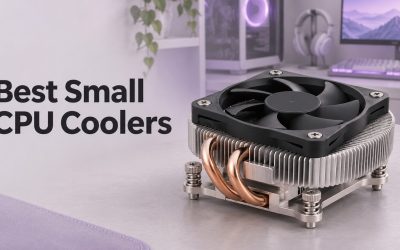
Slim and SFF desktops are the strictest group. For those, see our picks for the best low-profile CPU coolers and best SFF CPU coolers.
Knowing the case limit first makes every later choice easier.
Getting quieter and cooler results from any desktop cooler
Even the best CPU coolers for desktops perform better with a little setup. Small changes often matter as much as the cooler itself.
Try these improvements:
- Set a gentler fan curve in the BIOS so fans ramp gradually.
- Make sure case fans pull fresh air in at the front and exhaust at the rear or top.
- Use a pea-sized amount of fresh thermal paste if the cooler lacks pre-applied paste.
- Enable AMD Eco Mode or Intel power limits if noise matters more than peak speed.
If noise is your main concern, our list of the best quiet CPU coolers focuses on low-decibel picks. Budget builders can also compare the best CPU coolers under $50.
Good airflow and sensible settings let a mid-priced cooler punch above its weight.
Desktop CPU cooler FAQ
These answers cover the questions desktop owners ask most often.
Do I need an aftermarket cooler for my desktop?
Not always. Many 65W chips run fine on a stock cooler, but an aftermarket cooler usually lowers noise and temperatures, and K-series Intel or high-end Ryzen chips often ship without one.
Will a tower cooler fit in my prebuilt desktop?
It depends on the case height limit and the motherboard mount. Many prebuilts accept standard coolers, but some use proprietary boards or narrow cases, so check before buying.
Is liquid cooling better than air for a desktop?
Liquid cooling helps with very hot flagship CPUs and offers a cleaner look. For most mainstream desktops, a quality air cooler performs similarly, costs less and has fewer parts to fail.
How tall a cooler can a mid-tower desktop fit?
Most mid-tower cases support coolers between roughly 155mm and 170mm tall. Always confirm the exact figure on your case maker’s spec sheet.
How often should I replace thermal paste?
Quality paste can last several years. Replace it whenever you remove the cooler, or if temperatures creep up noticeably over time.
Choosing your desktop cooler with confidence
The best CPU coolers for desktops start with your case height, socket and CPU power, then narrow by noise and budget. Pick your build type above, check clearance and compare more options on our best CPU coolers roundup or the full CPU coolers category.




Write Your Review
No reviews yet. Be the first to share your experience!