
If you game on an i7-9700K, the best CPU coolers for i7 9700K do not have to cost a fortune, because this eight-thread chip runs cooler than its i9 sibling. Division Gaming groups proven coolers into three budget tiers, helping LGA 1151 owners spend wisely, keep noise down and still leave room for a mild overclock.
Best CPU coolers for i7 9700K at every budget
The short answer: the Thermalright Assassin X 120 Refined SE and be quiet! Pure Rock 2 cover tight budgets, the ID-Cooling SE-224-XTS, Cooler Master Hyper 212 Black and Scythe Fuma 3 fill the mid-range, and the Noctua NH-U12A or Arctic Liquid Freezer III 240 suit premium builds and overclockers.
The Core i7-9700K has 8 cores and 8 threads, a 95W TDP and a 4.9 GHz maximum turbo. It lacks Hyper-Threading, so it usually draws less power than the i9-9900K under the same multi-threaded load.
That lower heat output is why a good single-tower cooler is enough for many owners. Spending more mainly buys quieter fans and overclocking headroom, which is how we organized the tiers below.
What the i7-9700K needs from a cooler
Intel sold the 9700K without a box cooler, so every owner needs an aftermarket solution. The chip uses the LGA 1151 socket on Z370 and Z390 boards, and it has a soldered heat spreader that transfers heat well.
At stock settings with power limits enforced, the chip stays close to its 95W rating in long workloads. Many Z390 boards relax those limits, and an all-core overclock to 5.0 GHz raises power noticeably.
For gaming, loads are usually lighter than in rendering, so temperatures stay moderate on mid-range air. Knowing whether you plan to overclock is the key to choosing among the best CPU coolers for i7 9700K builds.
How we picked these coolers
We studied official specs, socket compatibility lists and published reviews, then checked owner feedback for noise and mounting issues. Division Gaming does not claim lab testing of its own, and our how we review page explains how we weigh outside data.
Each cooler had to support LGA 1151 in the box or with an official kit. We also preferred models that support LGA 1700, LGA 1851 and AM5, so the cooler can move to a future build. That focus keeps your purchase useful after the 9700K retires.
i7-9700K cooler comparison table
This table lists all seven picks with their type, fan or radiator size, height and the role they suit best. Use it to narrow down a tier before reading the details.
| Model | Type | Fans / radiator | Height | Best for | Noise note |
|---|---|---|---|---|---|
| Thermalright Assassin X 120 Refined SE | Single-tower air | 1×120mm | 148mm | Tight budgets, stock settings | Moderate |
| be quiet! Pure Rock 2 | Single-tower air | 1×120mm | 155mm | Budget quiet builds | Quiet |
| ID-Cooling SE-224-XTS | Single-tower air | 1×120mm | 154mm | Value gaming rigs | Moderate |
| Cooler Master Hyper 212 Black | Single-tower air | 1×120mm | Under 160mm | Familiar, easy install | Moderate |
| Scythe Fuma 3 | Dual-tower air | 2×120mm | About 155mm | Quiet mid-range | Quiet |
| Noctua NH-U12A | Single-tower air | 2×120mm | 158mm | Premium air, light OC | Very quiet |
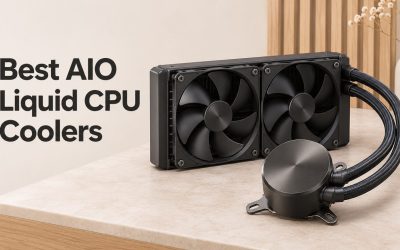
| Arctic Liquid Freezer III 240 | AIO | 2×120mm, 240mm | Pump block | 5.0 GHz overclock | Low to moderate |
All seven fit most mid-tower cases, but always confirm your case’s height limit first.
Budget tier: solid cooling for stock settings
Budget coolers make sense when you keep the 9700K at stock and mostly game. These two picks usually sit well under $40, though prices change often.
Thermalright Assassin X 120 Refined SE
This compact single tower stands 148mm tall with one 120mm fan and four heatpipes. Thermalright includes LGA 115x, LGA 1200, LGA 1700, LGA 1851, AM4 and AM5 hardware.
It is a good match for a 9700K running default power limits in a gaming PC. The low height also helps in slimmer mid-towers.
- Pros: very low price, easy mounting, fits narrow cases
- Cons: limited headroom for overclocking, plain looks
It is the cheapest sensible upgrade over having no cooler at all.
be quiet! Pure Rock 2
The Pure Rock 2 is rated by be quiet! for 150W-class heat and stands 155mm tall with a single 120mm Pure Wings 2 fan. It supports LGA 115x, LGA 1200, LGA 1700, AM4 and AM5.
Choose it if quiet operation matters more than the last few degrees. Its brushed top cover also looks tidier than most budget options.
- Pros: quiet fan, neat finish, wide socket support
- Cons: not meant for heavy overclocks
This is our budget pick for a calm living-room gaming PC.
Mid-range tier: room for a mild overclock
The mid-range is where most i7-9700K owners land. These coolers handle relaxed power limits and modest all-core overclocks without much noise.
ID-Cooling SE-224-XTS
The SE-224-XTS is a 154mm single tower with a 120mm fan and four heatpipes. ID-Cooling supports LGA 115x, LGA 1200, LGA 1700, AM4 and AM5.
Reviews often praise its value, and it is a natural step up from the budget tier for gamers. It handles MCE-style settings in gaming loads comfortably.
- Pros: strong value, compact, simple install
- Cons: fan can be heard at full speed
It is a smart middle ground for a gaming-first build.
Cooler Master Hyper 212 Black
The Hyper 212 family is one of the most familiar names in PC cooling. The current Black edition uses a single 120mm fan and supports LGA 115x, LGA 1200, LGA 1700, AM4 and AM5.
It is a fine choice if you want a widely stocked cooler with plenty of install guides online. Performance is in line with other single-tower 120mm coolers, not above them.
- Pros: easy to find, well documented, attractive black finish
- Cons: newer rivals offer slightly better value
Buy it when convenience and local availability matter most.
Scythe Fuma 3
Scythe’s Fuma 3 is a dual-tower cooler with two 120mm fans and an offset design that improves RAM clearance. It stands about 155mm tall, which suits most mid-towers.
For owners who want lower noise during long gaming sessions, the twin-tower design spreads heat over more fin area. That lets the fans spin slower at the same load.
- Pros: quiet, good RAM clearance, dual-tower capacity
- Cons: mounting is less intuitive than Thermalright’s
It is the quiet-minded pick of the mid-range group.
Premium tier: quiet power and overclocking headroom
Premium options are worth it when you overclock or want very low noise. These two picks also make strong long-term investments among the best CPU coolers for i7 9700K buyers can find.
Noctua NH-U12A
The NH-U12A is a 158mm single tower with two NF-A12x25 120mm fans in push-pull. Noctua’s SecuFirm2 hardware supports LGA 115x and LGA 1200, with LGA 1700 support in newer boxes or via Noctua’s kit.
It cools close to many dual-tower designs while keeping a slimmer footprint. Noctua’s long warranty is another reason it fits a premium budget, and you can see specs on the Noctua website.
- Pros: very quiet, compact for its performance, long warranty
- Cons: high price, brown fans unless you buy chromax.black
It is the premium air pick for a quiet 9700K.
Arctic Liquid Freezer III 240
The Liquid Freezer III 240 uses a 240mm radiator with two 120mm fans and a VRM fan on the pump. It supports LGA 1700, LGA 1851, AM4 and AM5 out of the box, and the 9700K needs Arctic’s LGA 1200/115x kit.
This is the one to choose for a 5.0 GHz all-core overclock. A 240mm unit also fits many cases that cannot take a 360mm radiator.
- Pros: strong cooling, VRM fan, fair price for an AIO
- Cons: extra kit needed for LGA 1151, pump adds a component that can fail
It is the overclocker’s choice in this list.
Installing a cooler on LGA 1151
LGA 1151 mounting is straightforward with most modern coolers. Use these steps as a general guide alongside your cooler’s manual.
- Check your case’s maximum cooler height and RAM heatsink height.
- Remove the old cooler and clean the heat spreader with isopropyl alcohol.
- Fit the backplate and the cooler’s LGA 115x standoffs or spacers.
- Add the mounting bars, then apply thermal paste unless it comes pre-applied.
- Seat the cooler and tighten screws evenly in a diagonal pattern.
- Connect the fan to the CPU_FAN header, or the pump to AIO_PUMP if present.
- Boot into BIOS and confirm fan speeds and idle temperatures.
A careful install often matters as much as the cooler choice itself.
Thinking ahead to your next platform
Your 9700K may be replaced one day by a Core Ultra 200S or Ryzen 9000 chip. LGA 1700 and LGA 1851 share cooler mounting, and AM5 keeps most AM4 cooler compatibility.
Every cooler on this list supports at least LGA 1700 and AM4 or AM5, either in the box or through a maker’s kit. That makes it easier to carry your cooler into the next build. Check AMD’s processor specs if Ryzen is on your radar.
Planning ahead is a simple way to stretch your cooling budget further.
i7-9700K cooler FAQ
Below are answers to common questions from i7-9700K owners choosing a cooler.
Does the i7-9700K need a liquid cooler?
No. A good air cooler handles the 9700K well at stock and with mild overclocks. A 240mm AIO mainly helps if you push a 5.0 GHz all-core overclock.
Is the i7-9700K hotter than the i9-9900K?
Usually not. The 9700K lacks Hyper-Threading, so it tends to draw less power than the 9900K in the same multi-threaded workload.
Will a Hyper 212 cool an i7-9700K?
Yes, for gaming at stock or mildly enhanced settings. For sustained all-core overclocks, a dual-tower air cooler or a 240mm AIO gives more headroom.
Which socket does the i7-9700K use?
It uses LGA 1151 on 300-series chipsets such as Z370 and Z390. Coolers listing LGA 115x support will fit.
Can I reuse my 9700K cooler on LGA 1700?
Often yes, if the maker includes LGA 1700 hardware or offers a kit. Every pick here supports LGA 1700 in some form.
Choosing your i7-9700K cooler with confidence
The best CPU coolers for i7 9700K range from the budget Assassin X 120 Refined SE to the Liquid Freezer III 240 for overclocks. Compare with our i9-9900K cooler picks, the quiet coolers for i7-9700K, best i7 CPU coolers, LGA 1151 coolers and the CPU coolers category.




Write Your Review
No reviews yet. Be the first to share your experience!